Subscribe For Free Updates!

We'll not spam mate! We promise.

Showing posts with label General Tech News. Show all posts

Monday, October 27, 2014

The Best Android Phones of 2014


It’s coming to that time of the year when you might want to grab a new smartphone either for yourself, or as a gift for someone during the holiday season. Most of the phones that will be coming out this year have been announced or launched, so if you want to make up your mind about upgrading, this is as stable as it gets in the smartphone world.

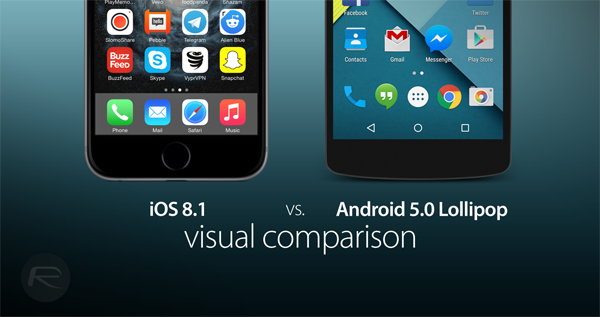
Apple iOS 8.1 Vs Google Android 5.0 Lollipop – Visual Comparison [Screenshots]


iOS 8.1 has been released, with Google no later finally announcing the release of the much awaited Android 5.0 Lollipop OS. The two giants of the smartphone platform industry continue to be locked in one of the fiercest OS battles of the modern age. Google has made some exceptional changes with Android 5.0, with Apple claiming the same for iOS 8.1. But how do they actually stack up against each other?

Friday, October 24, 2014

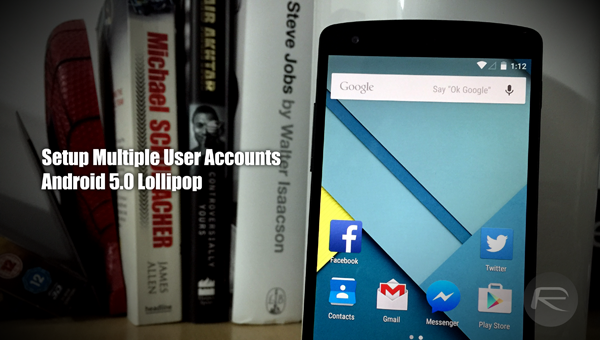
Android 5.0 Lollipop Features Multi-User Accounts For Phones, Here’s How It Works


Google’s Android software has long facilitated multiple user support, allowing groups of people to share one device but keep their own settings, wallpapers, documents and general content under one profile. The major limitation in the system so far, however, is that multi-user functionality has been a perk preserved for tablets only, but with Android 5.0 Lollipop, phones are finally joining the party. Here, we catch a glimpse of the feature in action, as well as the setup process involved in adding a new user.

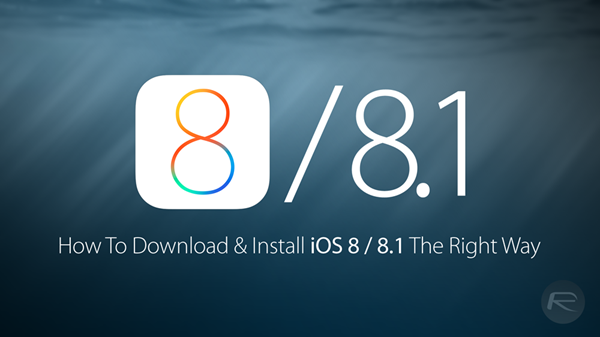
Download iOS 8 / iOS 8.1 And Install On iPhone 6, 5s, 5c, 5, 4S, iPad, iPod touch [How-To Tutorial]


As you know by now, iOS 8 download and iOS 8.1 download links for final version are live for iPhone 6, iPhone 6 Plus, iPhone 5s, 5c, 5, 4S, iPad 2 and over, including the new iPad Air 3 and iPad mini 3, iPod touch 5G. iOS 8 brings a ton of new features to supported devices. More information on the features new in iOS 8 can be found here.

The following guide will help you download and install iOS 8 on your iPhone, iPad or iPod touch the right way. It is important to note that iOS 8 / 8.1 is compatible with iPhone 6, iPhone 6 Plus, iPhone 5s, iPhone 5c, iPhone 5, iPhone 4S, iPad Air 2, iPad Air, iPad mini 3, iPad mini 2, iPad mini 1, iPad 4, iPad 3, iPad 2 and iPod touch 5. iPhone 4 is not supported. More info on whether or not your device is supported by iOS 8 can be found here.
How to download iOS 8 / iOS 8.1 and install it on your device the right way:

Clean Install

The recommended way to install a major new iOS 8 update is to clean install it. Restoring your device to a clean install of iOS 8 will help you get the best performance out of your device.
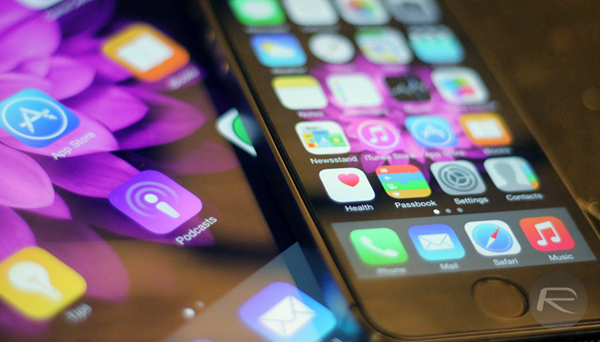


Step 1: Download iTunes 12.0.1 for Windows or Mac.

Step 2: Before you begin installing iOS 8, you must make a complete backup of your device either via iTunes or via iCloud.
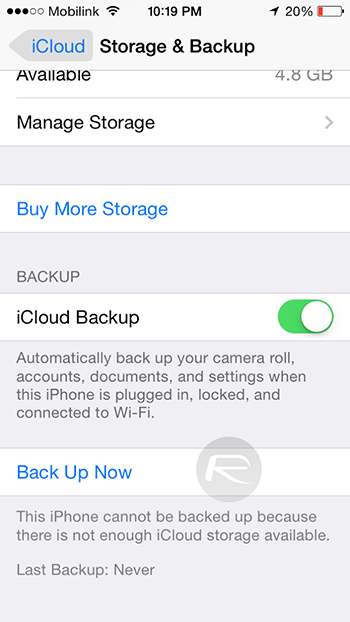


Step 3: Once you are done with the backup, download iOS 8 links from here. Or, iOS 8.1 download links from here.

Step 4: Start iTunes. On your Mac, hold the Alt key (on Windows PC, this will be the Shift key), and click on the Restore iPhone… button. iTunes will then allow you to select the .IPSW you downloaded in the previous step. Select it.
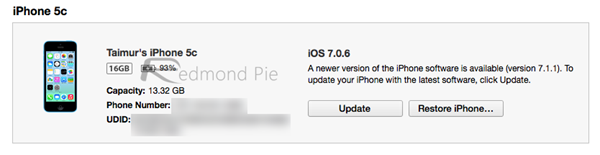


Step 5: Now sit back and relax as iTunes installs iOS 8 / 8.1 on your device. This should take a few minutes. Once done, you will be all set to go on iOS 8.

OTA Update
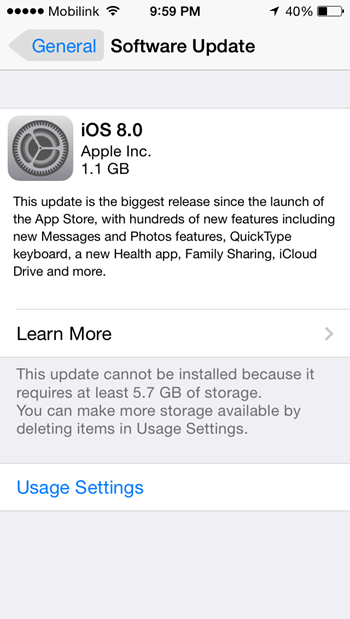


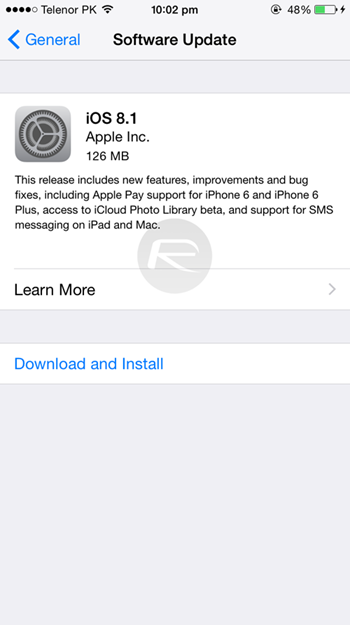
iOS 8 / 8.1 update is also available as an OTA download for supported devices running iOS 7.x or 8.0. Again, before proceeding with the OTA update, you must make a complete backup of your device either via iTunes or via iCloud. Also make sure you have at least 6GB or over free space available on your device to update to iOS 8 if you are updating from 7.x. Much lesser space is needed if you are updating to 8.1 from 8.0. If you plan to update using this method, connect your iOS device to a stable Wi-Fi connection and then simply navigate to Settings > General > Software Update and you’ll be good to go.

Credit: http://www.redmondpie.com

Friday, October 17, 2014

Android Lollipop: 4 quick things business users should know


Image: Google

Google announced Android Lollipop. Here are four features that Android business users need to know about the operating system's newest version.

The Android operating system faces many of the same problems that other mobile operating systems face when it comes to enterprise adoption. However, Google continues its efforts to make Android more business-ready, and it shows.

Monday, March 10, 2014

How Encryption Works in Cloud Computing


When moving business data into the cloud, many organizations are concerned about the issue of security. When data is placed onto remote servers, it’s natural to feel anxious about unauthorized access, particularly in a business context.But once your data is stored on a cloud server; it’s protected from hacking and unauthorized access. And when you entrust your data security to reputed Data Security Firm,

Sony Xperia Z2 vs Samsung Galaxy S5 Comparison Review


For people who are considering to purchase a new Android powered smartphone with competitive specifications, the Sony Xperia Z2 and Samsung Galaxy S5 smartphones might in your consideration lists, as both Sony and Samsung smartphones houses same Snapdragon 801 series based SoC (System on Chip) manufactured, but differ in CPU speed. Sony Xperia Z2 features Snapdragon 801 MSM8974AB chipset which can top CPU speed up to 2.3GHz, whereas Galaxy S5′s processor MSM8974AC has a maximum clock rate of 2.5GHz.

Saturday, March 8, 2014

Why Microsoft Makes $5 to $15 From Every Android Device Sold


Microsoft makes much more money from Android than Windows Phone. Every time you buy an Android smartphone or tablet, Microsoft is likely receiving $5 to $15. They likely make at least $2 billion per year from Android. This financial agreement is all about patent royalties. Microsoft claims to hold software patents that Android infringes on, and they threaten lawsuits against Android device manufacturers until they settle.
How the Licensing Agreements Work

5 Tips to Resolve Your Tablet’s Touchscreen Problems


We’ve all been there. Tapping, swiping or zoom-pinching, there’s often a moment when the touchscreen display on your tablet refuses to respond. How do you overcome this, and achieve tablet-tapping Zen?

Why Your Tablet Touchscreen Doesn’t Respond As the primary mode of interaction between you and your apps, the tablet touchscreen is vitally important. Any damage inflicted – be it knocks to the device, scratches or worse – will degrade the reliability of the component, and short of paying for a replacement screen and digitiser, you will need to make sure the display is kept safe and intact at all times.

Monday, September 23, 2013

Apple iOS 7 Review: A New and Enhanced User Experience


Getting tired of the same old iOS interface? Well, the Apple iOS 7 has finally landed and it has changed the entire landscape of the iOS and has taken it to a whole new level. In order to upgrade, all you have to do is install the latest version of iTunes and sync your device to it, then backup all your data to the iCloud. Next, press that update button because you are going to love what awaits you. *Fast forwarding time* Congratulations, you now have installed one of the mosteye catching UIs ever! Let’s take a look at what the brand new iOS 7 brings to the table.